
Deals
A single view of every deal across all your contacts, with a running total of what's still open.
How to view all deals
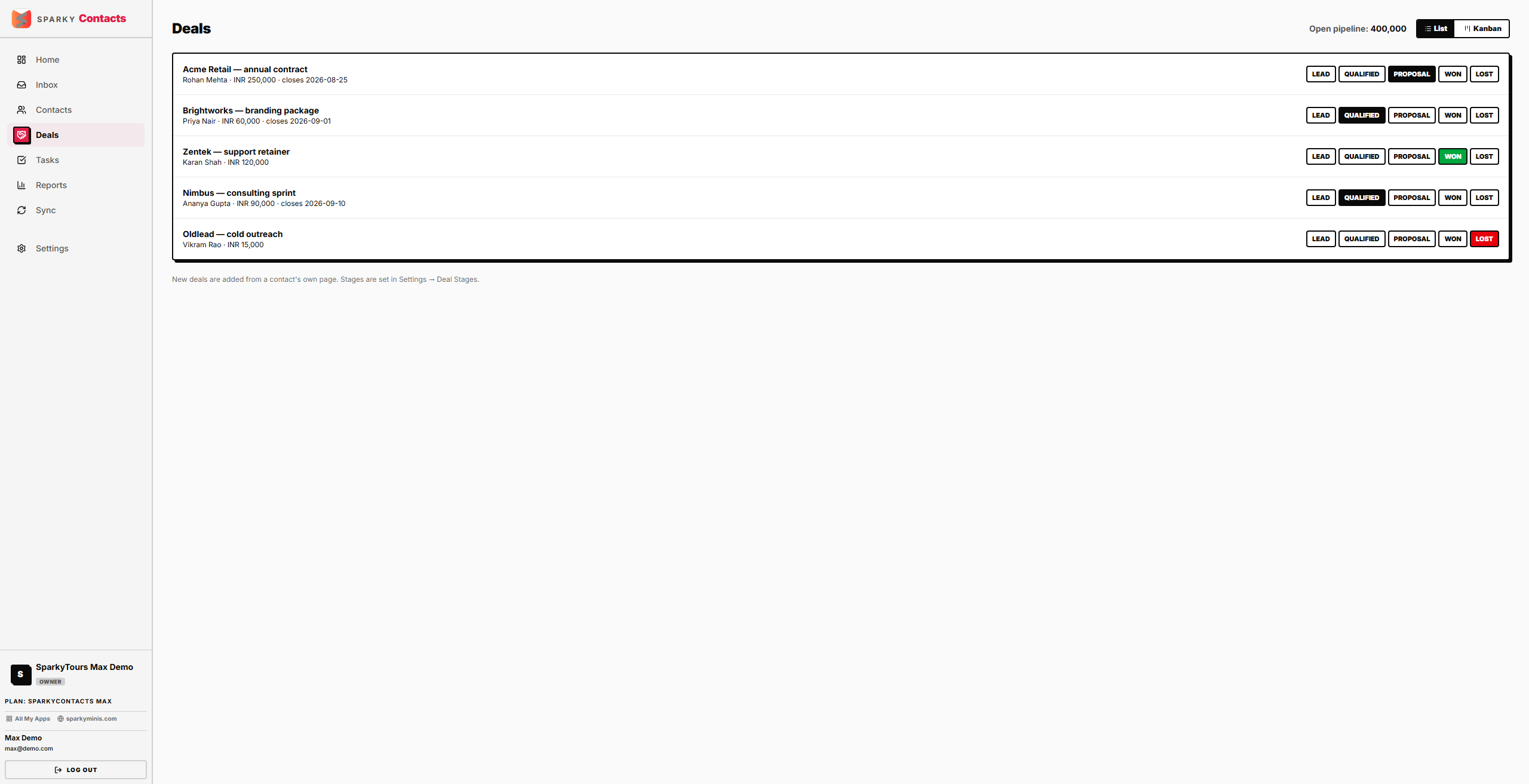
Open Deals from the sidebar. You'll see every deal across every contact, with a running total of open-stage value (deals in a stage marked Won or Lost are excluded from that total). Switch between a List view and a Kanban (board) view using the toggle at the top.
How to move a deal's stage
Click a stage pill (e.g. "Qualified," "Proposal," "Won") directly on a deal to move it there — the deal's current stage shows as a disabled pill. This is the same action available from a contact's own detail page — moving into a "Won" or "Lost" stage records the close automatically; moving elsewhere clears it. New deals themselves are added from a contact's own page, not from Deals directly.